
Logo Design Process
Logo Design Process: The logo design process involves several key steps to ensure the final design effectively represents the brand. Here’s a general overview of the process: Understand the Brand: …
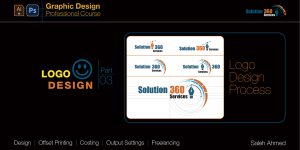
Logo Design Process: The logo design process involves several key steps to ensure the final design effectively represents the brand. Here’s a general overview of the process: Understand the Brand: …

Logos come in various forms, from wordmarks to image-based designs. There are no strict rules about which approach is best—experiment freely, but always ensure your ideas align with the brief. …
What is a Logo? A logo is a symbol that represents the identity of an organization, product, brand, or idea. It is a key part of a brand’s identity and …
Welcome everyone to the Solution360services. Today I will show you how to install Adobe Illustrator (Beta) easily. Please follow the below steps:- Step: 01 (Registration process for creating an account …

Welcome everyone to the Solution360services. Today I will show you how to install Adobe Photoshop Beta easily. Please follow the below steps:- Step: 01 (Registration process for creating an account …
Welcome everyone to the Solution360services. Today I will show you how to install Adobe Premiere Pro (Beta) easily. Please follow the below steps:- Step: 01 (Registration process for creating an …
Welcome everyone to the Solution360services. Today I will show you how to easily install Adobe After Effects (Beta). Please follow below steps:- Step: 01 (Registration process for creating an account …
How to easily install Adobe Illustrator (Beta). Please follow below steps:- Step: 01 (Registration process for creating an account in Adobe Creative Cloud) 01) From any browser, type Adobe …
Adobe Photoshop Scripting: (Part-05) Delete, Show / Hide, and Duplicate layers & group layers. Deleting Layer: We can remove a layer from the document by calling the remove() method. // Get the …
Adobe Photoshop Scripting: (Part-04) Select Layer & Group Layer and change the blending mode of the layer. Everything in Photoshop is represented as an “object” (e.g., ArtLayer, Channel), and each object is …